Subscribe to receive our daily tech reviews
Lorem ipsum dolor sit amet, consectetur adipiscing elit ut liqua purus sit amet luctus venenatis, lectus magna.




Understanding Email Marketing Analytics
Measure your email marketing success with key metrics! Learn how tracking analytics can boost engagement, conversions, and loyalty for UK small businesses.
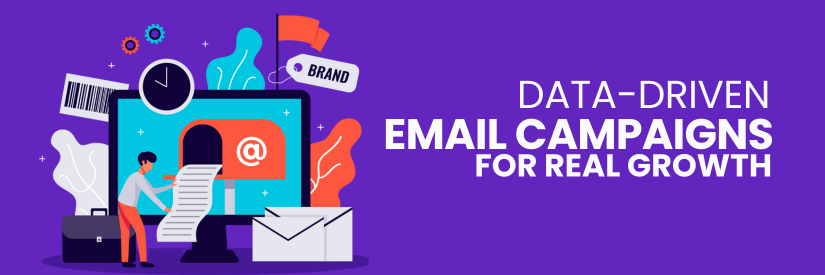
Email marketing is one of the most effective ways to reach your audience, especially for small businesses in the UK. Yet, many entrepreneurs find themselves wondering how to measure their success. That’s where email marketing analytics come into play. By understanding your email performance tracking, you can make data-driven decisions that boost engagement, sales, and brand loyalty. This article will walk you through the key aspects of email marketing analytics, breaking down essential metrics, explaining how to measure email success, and offering actionable insights to improve your campaigns. Whether new to email marketing or looking to refine your strategy, this guide will help you get the most out of your efforts.
What is Email Marketing Analytics?
Email marketing analytics is the process of tracking, measuring, and analysing the performance of your email campaigns. It allows you to understand how your audience interacts with your emails and gives insights into what works and doesn’t. Without tracking these metrics, you’re essentially flying blind. You won’t know if your emails are being opened, read, or acted upon. That’s why leveraging email analytics tools is critical to measure your campaign's effectiveness and tweak your strategy.
Key Metrics to Track the Campaigns
Several metrics can give you a clear picture of your campaign’s success regarding email marketing. Let’s break down the most important ones:
1. Email Open Rates
Email open rate is the percentage of recipients who open your email. This metric indicates how compelling your subject line and preheader text are in grabbing attention. If your open rates are lower than expected, you should experiment with different subject lines or send times.
Pro Tip: Personalise your subject lines to improve your open rates. Mentioning the recipient's name or location can make your emails stand out in a crowded inbox.
2. Click-Through Rates (CTR)
Click-through rate refers to the percentage of recipients who clicked on a link within your email. A high CTR indicates that your content was engaging and relevant to your audience. On the other hand, a low CTR could mean that your content needs to be more compelling or that your call-to-action (CTA) needs to be stronger.
3. Conversion Rates
The conversion rate is the percentage of recipients who completed a desired action after clicking on a link in your email. This could be purchasing, signing up for a webinar, or downloading a guide. Conversion rates are crucial for measuring the effectiveness of your email marketing efforts.
4. Bounce Rates
Bounce rate is the percentage of emails not delivered to the recipient’s inbox. There are two types of bounces: hard bounces and soft bounces. Hard bounces occur when the email address is invalid, while soft bounces happen when the recipient’s inbox is full or the server is temporarily unavailable.
5. Unsubscribe Rates
The unsubscribe rate measures the percentage of recipients who opted out of receiving your emails. While some unsubscribes are expected, a high rate may signal that your content is not resonating with your audience or you’re sending emails too frequently.
Tools for Tracking Email Marketing Analytics
Now that you know which metrics to track, let’s discuss the tools to help you gather this data. Several email analytics tools are available, catering to different needs and budgets.
1. HubSpot
HubSpot offers a comprehensive suite of email marketing tools, including detailed analytics. With HubSpot, you can track open rates, CTRs, bounce rates, and more from an easy-to-use dashboard. The platform also integrates seamlessly with your CRM, giving you a complete view of customer interactions.
2. Google Analytics
While primarily known for website analytics, Google Analytics can also be a powerful tool for email campaign tracking. By setting up UTM parameters on your email links, you can track the traffic and conversions your emails drive to your website.
3. Mailchimp
Mailchimp is another popular email marketing tool. It offers detailed analytics that helps you understand how your campaigns are performing. You can track open rates and CTRs and even A/B test different elements of your emails to see what works best.
4. Campaign Monitor
Campaign Monitor is designed specifically for email marketing and provides in-depth analytics to help you measure email success. The platform allows you to track all the essential metrics and offers powerful segmentation tools to tailor your campaigns to different audience segments.
How to Improve Your Email Marketing Performance
Understanding your email analytics is just the first step. The real value comes from using this data to improve your campaigns. Here are some actionable steps you can take:
1. A/B Testing
A/B testing, or split testing, involves sending two versions of your email to different audience segments to see which performs better. You can test different subject lines, images, CTAs, or the time of day you send your emails. For example, you could send one version of an email with a simple CTA button and another with a more elaborate design. By analysing the results, you can determine which version resonates more with your audience and apply those insights to future campaigns.
2. Segmentation
Segmentation involves dividing your email list into smaller groups based on specific criteria, such as demographics, purchase history, or engagement levels. You can increase relevance and improve engagement by sending targeted emails to these segments. For instance, if you’re a retailer, you might want to create a segment for customers who have purchased in the last 30 days and send them a special offer to encourage repeat business. Segmented campaigns have been shown to improve open rates and CTRs significantly.
3. Timing and Frequency
The timing of your emails can significantly impact your open rates. It’s essential to test different send times to determine when your audience will most likely engage with your emails. Similarly, you should be mindful of how often you’re sending emails. Too frequent, and you risk annoying your subscribers; too infrequent, and they might forget about you.
Pro Tip: Try sending your emails at different times of the day and track which times yield the best results. This way, you can optimise your send schedule to maximise engagement.
Common Pitfalls to Avoid
While email marketing analytics can provide valuable insights, small business owners should know some common pitfalls.
1. Ignoring Mobile Optimisation
More and more people are checking their emails on mobile devices. If your emails aren’t optimised for mobile, you could miss out on a significant portion of your audience. Make sure your emails are responsive and look good on all devices.
2. Focusing on Vanity Metrics
It’s easy to get caught up in vanity metrics like open rates or the number of subscribers. While these are important, they don’t always tell the whole story. Focus on metrics that tie directly to your business goals, such as conversion rates and ROI.
3. Not Cleaning Your Email List
Keeping your email list clean and up-to-date is crucial for maintaining high deliverability rates. Remove inactive subscribers and invalid email addresses regularly. This improves your metrics and ensures you’re only sending emails to people who are genuinely interested in your content.
Key Takeaways
Email marketing analytics is an invaluable tool for UK small business owners looking to measure and improve their email marketing efforts. By focusing on the right metrics, using tools like HubSpot, Google Analytics, Mailchimp, and Campaign Monitor, and taking actionable steps to optimise your campaigns, you can achieve better results and grow your business. The goal isn’t just to collect and use data to make informed decisions that drive engagement, conversions, and customer loyalty. With the right approach, email marketing can be an influential asset in your small business toolkit.