Subscribe to receive our daily tech reviews
Lorem ipsum dolor sit amet, consectetur adipiscing elit ut liqua purus sit amet luctus venenatis, lectus magna.




How to Create Engaging Video Thumbnails
Eye-catching thumbnails can boost clicks, improve SEO, and showcase your content's value. Learn to create designs that captivate and convert for your business.
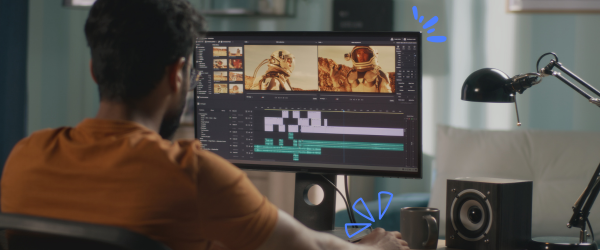
Video thumbnails are like a book cover—they give potential viewers a quick glimpse of what’s inside your content. A well-designed thumbnail can mean the difference between someone clicking to watch your video or scrolling past. For small business owners in the UK, creating custom thumbnails that stand out is essential for growing your online presence and connecting with your audience.
Thumbnails do more than just make your videos look good. They improve your click-through rate (CTR), communicate the value of your content, and help build trust in your brand. Even the best video content can only be noticed with a strong thumbnail to grab attention. This article will help you understand how to create high-quality, eye-catching thumbnails that work—and we’ll also share some of the best tools to make the process easier.
Why Thumbnails are Important?
In a crowded digital world, your thumbnail often serves as the first impression of your video. It’s your chance to convince potential viewers that your content is worth their time. A great thumbnail grabs attention with bold visuals, communicates the video's main idea, and helps your video stand out in search results. Whether you’re trying to boost your YouTube channel or engage your audience on social media, thumbnails are a crucial part of your strategy.
The Building Blocks of a Great Thumbnail
The first step in creating an engaging thumbnail is getting the size and dimensions right. Most platforms, including YouTube, recommend a 1280 x 720 pixels resolution with a 16:9 aspect ratio. This ensures your thumbnail looks crisp and professional on any device. Low-resolution images may appear blurry or pixelated, discouraging viewers from clicking.
Using high-quality images is just as important. A clear, sharp thumbnail signals professionalism and reflects the quality of your video. If you’re capturing a still from your video, ensure it’s well-lit and free of motion blur. If possible, plan specific shots during filming that can double as potential thumbnail images.
Adding text to your thumbnail can make it even more effective. Short, bold text helps clarify your video and can make your content more enticing. For instance, a “How to Increase Sales Online” video might have thumbnail text that says “5 Simple Tips.” Keep the text brief and choose fonts that are easy to read, even on smaller screens. Tools like Canva and Vistacreate offer user-friendly options for adding stylish text to your thumbnails.
Designing Thumbnails That Grab Attention
Bold colours and simple layouts are key to creating thumbnails that catch the eye. Bright, contrasting colours like blue and orange or yellow and black can help your video stand out in search results. However, it’s important not to overdo it. Stick to 2–3 primary colours to keep the design clean and professional.
Including faces in your thumbnails can also boost engagement. People are naturally drawn to faces, especially ones with clear, expressive emotions. A thumbnail featuring a close-up of someone’s surprised or excited expression can pique curiosity and encourage viewers to click.
When it comes to layout, less is more. Avoid cluttering your thumbnail with too many elements or text. Highlight one key idea or image that represents your video. For example, if you’re showcasing a product, make it the central focus of the thumbnail. You might include the starting materials and the finished result for tutorial videos to create a visual story.
The Best Tools for Creating Custom Thumbnails
You don’t need to be a professional designer to make great thumbnails. Several tools are available to help small business owners create professional-looking designs:
- Canva: Ideal for beginners, Canva offers easy-to-use templates and drag-and-drop functionality.
- Photoshop: A powerful tool for advanced editing, Photoshop lets you refine every detail of your thumbnail.
- Vistacreate: Similar to Canva, It includes unique animation options to make your thumbnails stand out even more.
Each tool has pre-sized templates optimised for platforms like YouTube, so you can focus on the design without worrying about technical details.
Thumbnails and SEO
Thumbnails don’t just boost CTR—they can also improve your video’s search performance. A thumbnail that aligns with your video’s keywords, such as “How to Start a Small Business in the UK,” can help viewers immediately understand your content. Pairing relevant imagery with a clear title and description increases your chances of ranking higher in search results.
Consistent branding across your thumbnails can further enhance your videos’ appeal. Use the same fonts, colours, and logo placement in every thumbnail to create a cohesive look. This makes your content easily recognisable and reinforces trust in your brand.
Common Mistakes to Avoid
Even small mistakes can hurt your thumbnail’s effectiveness. One common issue is overcrowding. Adding too much text or too many elements can confuse viewers and make your design look unprofessional. Instead, focus on one strong message or visual.
Using low-quality images is another mistake. Blurry or pixelated thumbnails can make your video appear amateurish. Always use high-resolution images and keep the design clean and polished. Additionally, avoid poor contrast between your text and background—illegible text can turn viewers away.
Pro Tips for Creating Better Thumbnails
Plan your thumbnail while filming your video to save time and improve quality. Capture specific shots or take high-quality photos during production that you can use later. This ensures you have plenty of options and don’t rely on random screenshots.
Testing your thumbnails is another smart strategy. YouTube offers A/B testing tools that let you compare designs and see which performs better. Use the data from these tests to refine your approach and improve future thumbnails.
Making Thumbnails That Convert
Creating custom thumbnails is one of the most impactful ways to improve your video’s performance. By focusing on bold visuals, clear messaging, and high-quality design, you can grab attention and encourage more people to click and watch.
Whether using tools like Canva, Photoshop, or Vistacreate, the key is keeping your design simple, professional, and aligned with your brand. Experiment with different styles, colours, and layouts to see what resonates with your audience. Over time, your thumbnails will become a powerful tool for building your online presence and driving results for your small business.
Start designing your thumbnails today and watch your video content reach its full potential.