Subscribe to receive our daily tech reviews
Lorem ipsum dolor sit amet, consectetur adipiscing elit ut liqua purus sit amet luctus venenatis, lectus magna.




How to Improve Your Website’s Mobile Responsiveness
Make your website mobile-responsive for a seamless user experience. Learn to enhance navigation, speed, and design to retain customers on all devices.
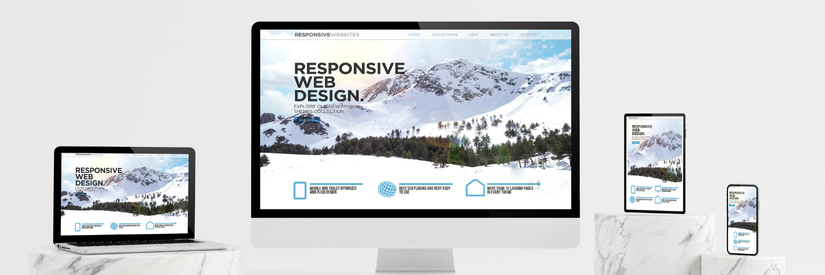
Mobile devices have become a dominant force in online browsing. This shift presents opportunities and challenges for UK small business owners and entrepreneurs. Your website might look great on a desktop, but if it provides a smooth experience on mobile, you could be losing customers. This article will help you understand how to improve your website’s mobile responsiveness, ensuring that your audience has a positive experience, no matter what device they're using.
Why Mobile Responsiveness Matters
Today, more people browse the internet on their mobile devices than ever before. The importance of a mobile-responsive website is evident: it ensures that your website adjusts seamlessly to different screen sizes, providing a consistent user experience. A mobile-friendly website is easier to navigate, faster to load, and more likely to retain visitors.
Google now uses mobile-first indexing, meaning the search engine predominantly uses the mobile version of your website for ranking and indexing. If your site is optimised for mobile, you can stay caught up in search engine results, which could significantly impact your traffic and revenue.
Identifying Mobile Responsiveness Issues
You must identify any existing issues before improving your website’s mobile responsiveness. Here are a few steps you can take:
1. Use the Google Mobile-Friendly Test
Google offers a free tool called the [Mobile-Friendly Test](https://search.google.com/test/mobile-friendly), which allows you to see how your website performs on mobile devices. Enter your website's URL, and the tool will analyse the site, offering insights and recommendations for improvement.
2. Analyse Your Site's Speed
A slow-loading site can frustrate users and cause them to leave. Tools like [Pingdom](https://tools.pingdom.com/) and [GTmetrix](https://gtmetrix.com/) can help you assess your site’s loading speed on mobile devices. These tools provide detailed reports identifying elements slowing down your website, such as large images or unnecessary scripts.
3. Test Across Multiple Devices
It's crucial to test your site on various devices and browsers. Services like [BrowserStack](https://www.browserstack.com/) let you test your website on real devices, ensuring it looks and functions well across different screen sizes and operating systems.
Tips for Improving Mobile Responsiveness
Once you've identified the issues, it’s time to make your website more mobile-friendly. Here are some actionable tips:
1. Simplify Navigation
Mobile users need to find information quickly and easily. Simplify your site's navigation by reducing the number of menu items and using drop-down menus that are easy to tap. Sticky headers can also be helpful, keeping the menu accessible as users scroll down the page.
Pro Tip: Consider using a "hamburger" menu—those three horizontal lines that expand to show more options. This saves screen space and is familiar to most users.
2. Optimise Images
Large, high-resolution images can significantly slow down your website on mobile devices. Compress images to reduce their file size without sacrificing quality. Tools like TinyPNG or ImageOptim can help with this. Use responsive images that adjust according to the user's screen size.
3. Prioritise Speed
Page speed is critical for mobile users. You can improve loading times by minifying CSS, JavaScript, and HTML files. This process removes unnecessary characters and spaces, making the code cleaner and faster to load. Caching is another effective strategy; by storing data locally on a user’s device, your site can load faster on subsequent visits.
4. Use Responsive Web Design (RWD)
Responsive Web Design (RWD) is an approach that automatically adjusts your website's layout based on the screen size and orientation of the device being used. Implementing RWD ensures your site looks good on any smartphone, tablet, or desktop device. This technique involves flexible grids, layouts, and images, allowing your site to adapt to different screen sizes.
5. Avoid Flash and Pop-Ups
Flash is not supported on many mobile devices, and pop-ups can be intrusive and burdensome to close on smaller screens. Stick to HTML5 for any animations or interactive elements and minimise the use of pop-ups. If you must use them, ensure they’re easy to close and don’t cover the entire screen.
6. Focus on Readability
The text should be accessible to read on smaller screens. Use a legible font size (at least 16 pixels) to ensure enough text and background contrast. Break up long paragraphs into shorter, digestible chunks, and use bullet points or numbered lists where appropriate.
7. Implement Touch-Friendly Elements
Mobile users rely on touch to navigate, so make sure buttons, links, and other interactive elements are easy to tap. Aim for buttons at least 44x44 pixels, and leave enough space between clickable elements to prevent accidental taps.
8. Consider AMP for Faster Mobile Pages
Accelerated Mobile Pages (AMP) is an open-source initiative by Google that helps create fast-loading mobile web pages. AMP strips down unnecessary code, making your pages load almost instantly. This can be particularly useful for content-heavy sites like blogs or news outlets.
Monitoring and Maintaining Mobile Responsiveness
Improving your website's mobile responsiveness takes time. As your site grows and technology evolves, you’ll need to monitor and maintain its performance continuously.
- Run regular tests using tools like Google’s Mobile-Friendly Test and BrowserStack as a habit. This will help you catch and fix issues before they affect your users.
- Outdated plugins, themes, or software can lead to compatibility issues on mobile devices. Ensure your site’s content management system (CMS), themes, and plugins are always up to date.
- Use analytics tools like Google Analytics to monitor how users interact with your site on mobile devices. Look at metrics such as bounce rate, average session duration, and pages per session to identify areas for improvement.
- If you need help figuring out where to start or need the technical know-how, consider using services specialising in website performance and optimisation. For instance, [GTmetrix](https://gtmetrix.com/) and [Pingdom](https://tools.pingdom.com/) offer comprehensive reports and tools that can help you make informed decisions. Additionally, [BrowserStack](https://www.browserstack.com/) provides an easy way to test your website across multiple devices and browsers, ensuring consistent performance.
Key Takeaways
Improving your website's mobile responsiveness is crucial for attracting and retaining visitors in today’s mobile-first world. By following the tips outlined in this article, you can enhance the mobile experience for your users, leading to higher engagement and better search engine rankings. Regular testing and updates will help you stay ahead, ensuring your site remains mobile-friendly as new devices and technologies emerge.
Investing time and resources into making your site mobile-responsive will pay off in the long run, helping your business grow and succeed in the competitive online market. Whether you're just starting or looking to improve an existing site, the strategies mentioned here provide a solid foundation for mobile optimisation.