Subscribe to receive our daily tech reviews
Lorem ipsum dolor sit amet, consectetur adipiscing elit ut liqua purus sit amet luctus venenatis, lectus magna.




Creating Engaging Video Content on a Budget
Boost brand awareness with budget-friendly video content! Learn how to create high-quality videos using affordable tools and simple strategies.

Video content is a powerful tool for small businesses in the UK looking to engage their audience and build brand awareness. However, creating high-quality videos can often seem like a costly venture. The good news? You don’t need to break the bank to produce videos that captivate your audience and drive results. In this article, we'll explore practical strategies to create engaging video content on a budget and some budget-friendly tools to help you get started.
Why Video Content is must for Small Businesses
Before exploring the "how," let’s touch on the "why." Video content is highly engaging and can potentially significantly boost your business’s conversion rate. Whether through social media, your website, or email marketing, video allows you to connect with your audience more personally and effectively. For instance, a short, well-produced video on your website’s landing page can help potential customers understand your offering quickly and clearly. This is especially important when you consider that most people have a limited attention span online.
Step 1: Plan Your Content
The first step in creating engaging video content on a budget is to plan your content carefully. Think about your target audience and what content will resonate with them. Are you looking to educate, entertain, or inspire? Once you have a clear goal, map out your content ideas, keeping them simple and to the point.
Pro Tip: Focus on storytelling. A compelling story can be more engaging than a high production value. What message do you want to communicate, and how can you tell it in a way that’s relatable to your audience?
Step 2: Use Budget-Friendly Tools for Video Creation
Creating professional-looking videos doesn’t require expensive equipment or software. There are plenty of affordable, user-friendly tools available that can help you produce high-quality videos. While Canva is often associated with graphic design, it also offers a range of tools for video creation. With Canva, you can create simple yet professional videos using their drag-and-drop interface. You can also access a variety of templates that can help streamline the video creation process. Animoto is an excellent option if you’re looking to create slideshow-style videos easily. It’s perfect for businesses that want to create quick, engaging content without a steep learning curve. The platform allows you to combine photos, video clips, text, and music to create a polished video. Another tool to consider is InVideo. This platform offers a wide array of templates and a user-friendly editor, making producing videos tailored to your brand’s aesthetic easy. InVideo also supports collaboration, allowing multiple team members to work on the video simultaneously. For those looking for more advanced video editing options without the high cost, Filmora is an excellent choice. It offers a range of features, including transitions, effects, and audio controls, that can give your videos a professional touch. These tools are affordable and intuitive, meaning you can create quality content without needing extensive video production skills.
Step 3: Leverage Natural Lighting and Simple Backgrounds
Lighting plays a crucial role in the quality of your video. Instead of investing in expensive lighting setups, leverage natural light. Shooting your video near a large window or outdoors during the golden hour (the hour after sunrise or before sunset) can provide beautiful, soft lighting that enhances your video’s quality. When it comes to backgrounds, keep it simple. A cluttered background can distract from your message. Use a plain wall, a neatly organised space, or a branded backdrop if you have one.
Step 4: Use Your Smartphone to Record
Gone are when you needed an expensive camera to create high-quality videos. Today’s smartphones have cameras that can shoot in 4K and capture excellent detail. Make sure to stabilise your phone using a tripod or a DIY stabiliser to avoid shaky footage. Also, pay attention to the sound quality. If your budget allows, consider investing in an external microphone that plugs into your phone. This can make a big difference in how professional your video sounds.
Step 5: Edit Like a Pro (Without Being One)
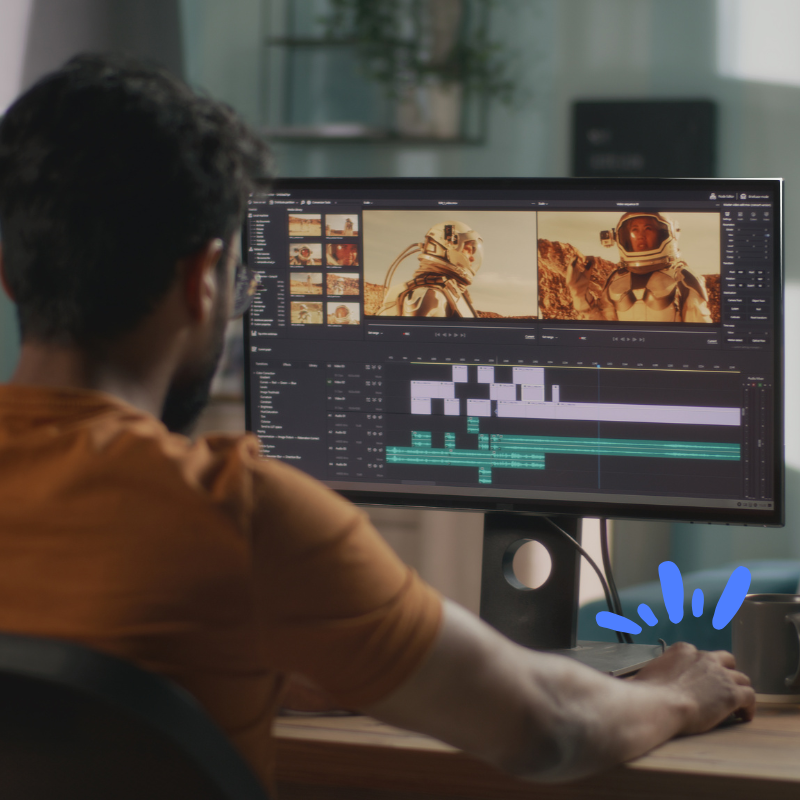
Editing can make or break your video. The good news is that you don’t need to be a professional editor to make your video look polished. The tools mentioned earlier—Canva, Animoto, InVideo, and Filmora—offer easy-to-use editing features to help you cut, trim, and enhance your footage.
Here are a few essential editing tips:
- Attention spans are short, so keep your videos concise. Aim for 1-2 minutes unless you create a more in-depth tutorial or interview.
- Text can help emphasise key points or guide viewers through your video.
- Music can set the tone for your video. Choose royalty-free tracks that complement your content.
- Whether subscribing to your channel, visiting your website, or purchasing, ensure your video ends with a clear CTA.
Pro Tip: Use transitions sparingly. While they can add a professional touch, too many transitions can make your video look cluttered.
Step 6: Optimise Your Videos for SEO
Creating engaging video content is just one part of the equation. To ensure your videos reach the right audience, you’ll need to optimise them for search engines. This involves using relevant keywords in your video title, description, and tags. For example, if you’re a UK-based business, you might use long-tail keywords like “creating engaging video content on a budget in the UK” or “budget-friendly video marketing strategies for UK small businesses.” This can help your videos rank higher in search results, making them more likely to be discovered by potential customers.
Additionally, consider transcribing your videos and adding subtitles. This not only makes your content accessible to a broader audience but also gives search engines more text to crawl, which can improve your SEO.
Step 7: Share Your Video Across Multiple Platforms
Once your video is ready, share it across multiple platforms to maximise its reach. Social media platforms like Facebook, Instagram, LinkedIn, and Twitter are great places to start. Each platform has its unique audience, so tailor your video’s format and length accordingly. For instance, Instagram Stories are ideal for short, engaging clips, while LinkedIn might be better suited for longer, more informative videos. Don’t forget to share your video on your website and include it in your email marketing campaigns.
Step 8: Monitor Performance and Iterate
After publishing your video, it’s important to monitor its performance. Pay attention to metrics like views, engagement rates, and click-through rates. This will give you insights into what’s working and what isn’t, allowing you to tweak your future videos accordingly. If you notice that a particular type of content resonates with your audience, consider creating more. Conversely, if a video isn’t performing as expected, analyse why and adjust next time.
Key Takeaways
Creating engaging video content on a budget is entirely possible with the right approach and tools. By planning your content, leveraging budget-friendly tools like Canva, Animoto, InVideo, and Filmora, and optimising your videos for SEO, you can produce high-quality videos that captivate your audience without stretching your budget. Remember, the key to successful video content is its ability to connect with your audience. Keep your videos authentic, focused, and engaging, and you’ll be well on your way to building brand awareness and driving conversions for your business.