Subscribe to receive our daily tech reviews
Lorem ipsum dolor sit amet, consectetur adipiscing elit ut liqua purus sit amet luctus venenatis, lectus magna.




Boost Your Video Marketing with Tools for Creating Stunning Visuals
Boost your video marketing with tools like CapCut, InVideo, and Canva. Create engaging, professional videos without breaking the bank or your schedule.
.png)
As a UK small business owner, you’ve probably noticed that video marketing is no longer just a “nice-to-have”—it’s a must. Whether you’re launching a new product, running a promotion, or simply staying in touch with your audience, video content is one of the most effective ways to grab attention and drive engagement. But creating stunning visuals can feel like an overwhelming task, especially when you’re balancing a million other responsibilities. That’s where video marketing tools can step in and save the day.
We’ll explore several tools that can help you create engaging, high-quality videos for your business. Whether you’re working on social media clips, explainer videos, or live streams, there’s a tool for every need. Let's look at how you can boost your video marketing and save time with these user-friendly solutions.
Why You Need Video Marketing for Your Business
Before we dive into the tools, let’s quickly cover why video is such a powerful marketing strategy. Video content is more engaging than static images or text, helping you communicate your message more effectively. It builds trust, showcases your products or services, and allows potential customers to understand what you offer in a more interactive way.
But it’s not just about throwing together a quick video. Quality matters. With so much content online, your videos need to stand out. That’s why investing time in creating polished, professional-looking visuals can make all the difference.
Now, let's break down the tools that can help you level up your video marketing game without breaking the bank—or your schedule.
1. CapCut: A Simple Yet Powerful Video Editor
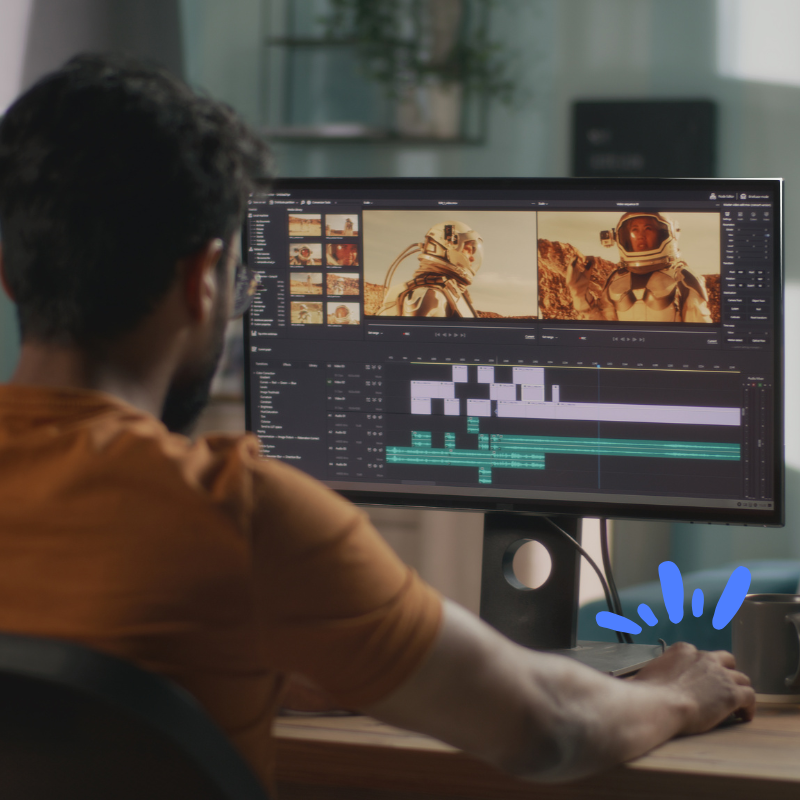
For business owners looking for a straightforward, no-frills video editor, CapCut is a great option. This tool allows you to quickly edit and fine-tune your videos with easy dragging and dropping of elements. You can cut and trim your footage, adjust the speed, and even add text or music with just a few clicks.
Whether you’re creating short promotional videos or social media content, CapCut’s user-friendly interface is perfect for beginners. You won’t need any prior experience with video editing to make engaging videos that look professional. CapCut also offers built-in templates, so you don’t have to start from scratch every time. This is ideal if you need to create content regularly but don’t have hours to spend on each project.
Pro Tip:
CapCut offers a free plan with plenty of features to get you started. As your business grows, you can explore premium options for more advanced editing tools and effects.
2. InVideo: Video Creation for All Needs
If you're looking for a tool that provides a wide range of options for different video types, InVideo is a great choice. Whether you need social media videos, explainer videos, or even an animation video, InVideo can help. One of its standout features is its stock footage library, which offers thousands of clips you can use to enhance your projects.
What’s more, InVideo simplifies the video creation process. Its drag-and-drop interface allows you to easily arrange your clips, add effects, and personalize your videos. You can also create promotional videos quickly by selecting from hundreds of templates designed for specific industries, including e-commerce, tech, and more.
InVideo also integrates with Canva, making it easy to add custom graphics to your videos without switching between platforms. Whether you’re creating a product video or a brand story, this combination can save you loads of time while keeping your content looking sharp and consistent.
3. Canva: More Than Just a Graphic Design Tool
You might already know Canva for its simple design capabilities, but did you know it’s also a fantastic tool for video marketing? Canva allows you to create engaging videos using a variety of templates, stock images, and animation features. Whether you’re making a slideshow or a fully animated explainer video, Canva makes the process quick and painless.
The platform’s drag-and-drop editor allows even non-designers to create stunning visuals. You can add transitions, animations, and even sync your video to music, giving it that polished, professional touch. Canva is especially useful for businesses that need to create a lot of visual content across different formats—think Instagram posts, YouTube thumbnails, and Facebook banners, all in one place.
Pro Tip:
If you’re using Canva’s free plan, you’ll have access to plenty of stock footage and templates. But upgrading to a paid plan gives you access to premium features, including more advanced editing tools and a broader selection of stock images and videos.
Best Practices for Video Marketing Success
Now that you have a toolkit ready to go, let’s talk about some best practices for video marketing to ensure you get the most out of your efforts.
1. Keep It Short and Sweet
Attention spans are short—especially online. Your videos should be concise and straight to the point. Aim for around 30-90 seconds for most promotional content, and don’t overload your audience with too much information in one go.
2. Tell a Story
Even in short videos, storytelling is key. Frame your product or service in a way that shows your audience how it solves a problem or makes their life easier. Rather than listing out features, focus on the benefits and results.
3. Use Clear Calls to Action (CTA)
Every video should have a clear next step for the viewer. Whether it’s visiting your website, signing up for a newsletter, or making a purchase, make sure your CTA is easy to understand and follow.
4. Optimise for Social Media
Different platforms have different specifications and audience preferences. For example, videos for Instagram Stories need to be vertical, while Facebook videos perform better when captions are included since many users watch videos on mute. Tools like CapCut and InVideo make it easy to adjust your videos for each platform.
Key Takeaways
With tools like CapCut, InVideo, and Canva, creating high-quality, engaging videos is easier than ever. These platforms allow you to edit, customise, and enhance your video content with minimal effort, so you can focus on running your business. Whether you’re new to video marketing or looking to refine your existing strategy, these tools offer practical, affordable solutions that deliver results.
Don’t wait until your competitors get ahead—start boosting your video marketing today with the right tools in hand. Not only will you save time and resources, but you’ll also connect with your audience in more meaningful ways, driving engagement and growth for your business.